

Most of the work that changes your cap table already happens in your inbox: a signed SAFE, a board consent from your lawyer, an option grant, a financing closing. Until now, every one of those documents meant another trip back into your cap table software — download the attachment, upload the file, re-enter the details, and hope nothing gets missed.
Fairmint Forward gives you another way to keep your cap table current without leaving email. Studio remains the place to review, edit, and manage your Timeline. Forward is there for the moments when opening the app would interrupt the work you’re already doing.
Forward an email. Or just CC us.
Every issuer on Fairmint gets a personalized address — something like captable+your-company@fairmint.com. You’ll find it in the Founder app’s upload drawer, one tap to copy.
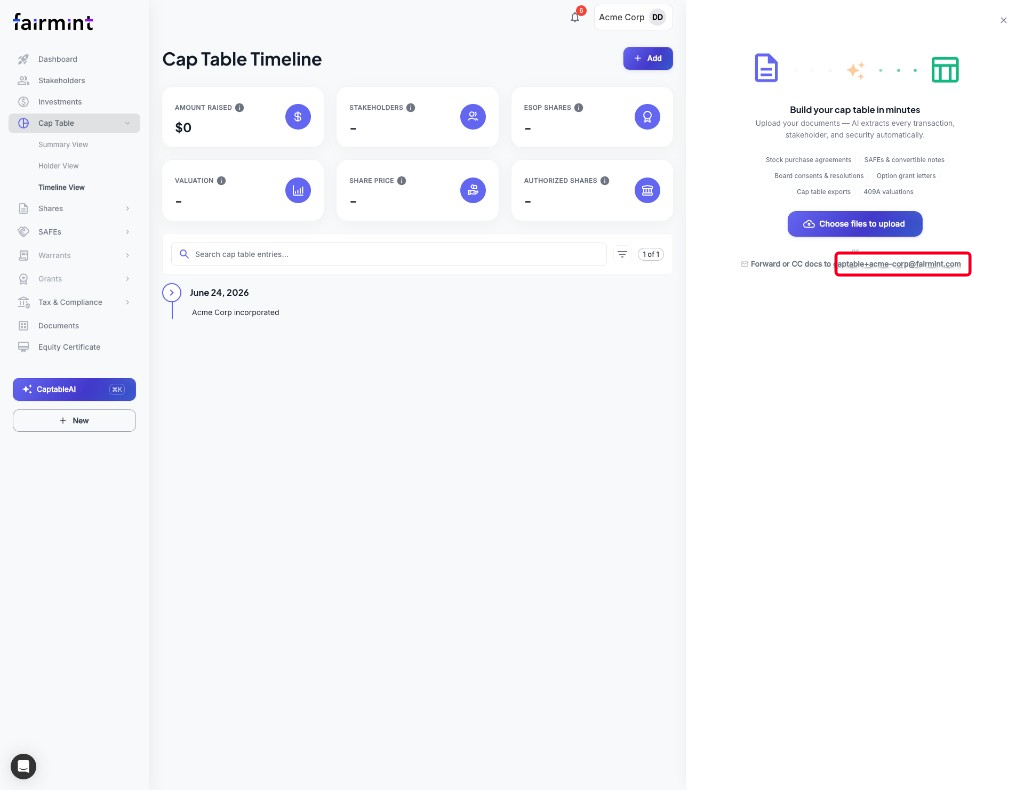
When corporate documentation lands in your inbox, forward it to that address. Better yet, copy it onto the conversations you already have with lawyers, investors, and signing platforms. As long as a Fairmint admin for your company is on the thread, Fairmint can take it from there — no upload wizard, no downloading attachments, no duplicate data entry.
Documents become drafts. You stay in control.
Your corporate documentation already contains the information needed to keep your cap table current. Fairmint reads each document, identifies the ownership events, attaches the original source to your Data Room, and prepares draft updates for your review.
Nothing is applied automatically. Every proposed update stays a draft until you approve it.
Fairmint also verifies incoming email, ignores duplicates, quarantines unknown senders, and keeps the original source documentation alongside every proposed event — so the inbox path is as careful as the rest of the product.
Start using Fairmint Forward today
Copy your personalized address from the Founder app, then forward — or CC — the next piece of corporate documentation you receive.